


Knowledge Required: Minimal
Tools required: Defender for Endpoint, Windows 11, Microsoft Recall
UPDATE: Microsoft has since provided updates that Recall will use more modern security methods, such as Windows Hello just-in-time decryption. Users will not be able to use Recall without a user AND admin initiated action.
Those in the security space will be well aware of Microsoft’s recent announcement for Recall. The tool, soon to be released for new Snapdragon based PC’s, takes regular screenshots of user activity.
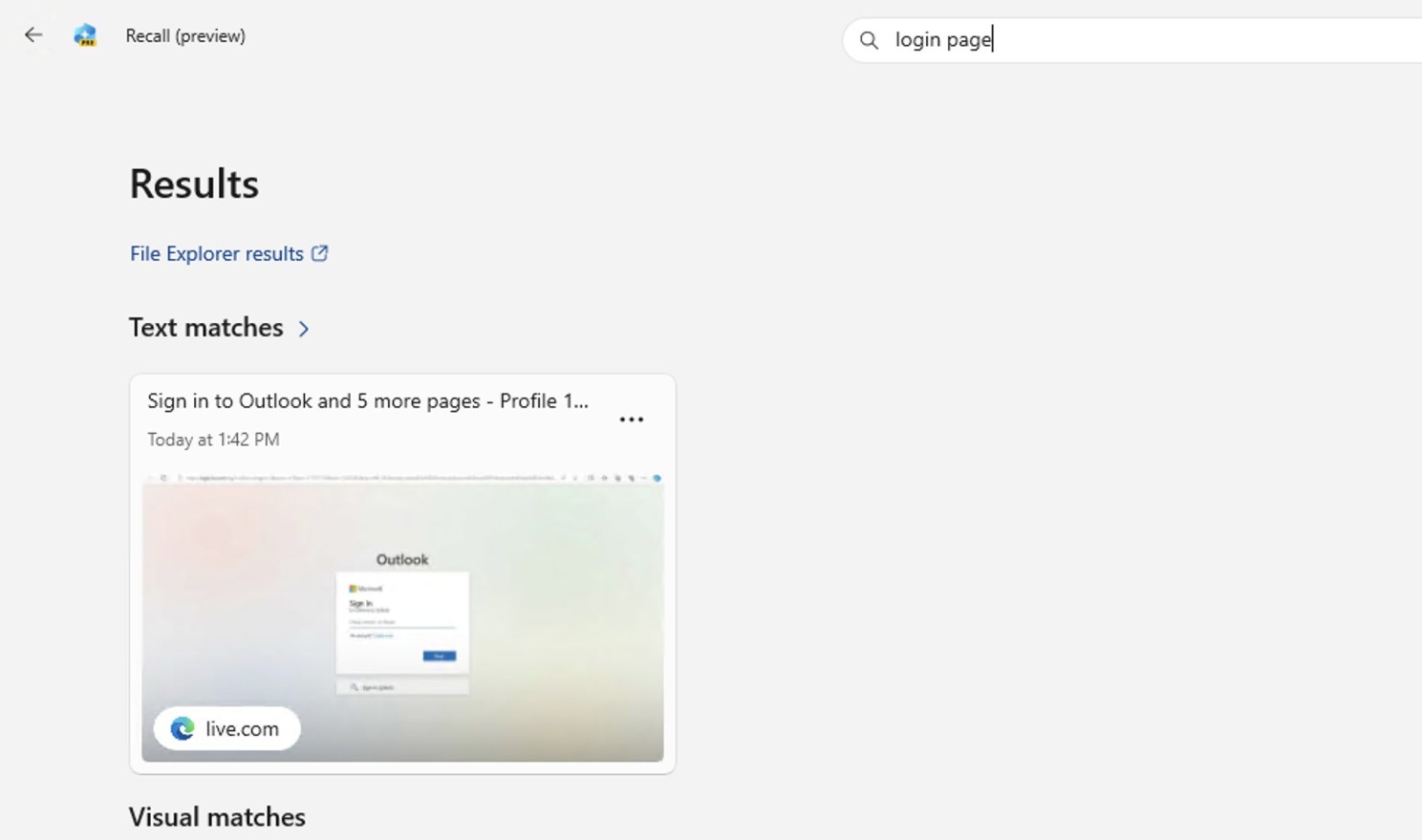
The tool has come under recent fire by multiple security researches, as it is coming to light that there are some key oversights on how it affects user privacy, so much so that many are dubbing the tool as spyware. One perfect example in my testing was asking to view all login pages; and it happily obliged. To some this may seem like the world’s best productivity tool, to others, it’s a shortcut to your personal information.
Furthermore, there doesn’t seem to much in the way of securing the data Recall locally collects. This has already sparked ‘proof of concept’ toolsets being created to extract personal user information, such as a screenshots and accessed websites: https://github.com/xaitax/TotalRecall
Having ran this myself, I can confirm it works and demonstrates that there’s very little considerations currently for protecting data Recall collects. Visited websites and screenshots of said sites can be accessed with ease using native everyday programs such as Notepad and Photos.
It’s worth noting that Microsoft now has an opportunity to listen to feedback from researchers and make improvements; Microsoft makes it pretty clear that the tool is still in preview, so take all these initial discoveries with an optimistic mindset they’ll be addressed. However, I don’t think this will be last time we will see abuse of Recall leading to security breaches due to it’s inherent purpose… watch this space as I’m sure more threat hunts will be coming in the future.
Threat hunts:
Detect TotalRecall tool extraction of data
Part of TotalRecall modifies attributes on the directory containing screenshots:
DeviceProcessEvents
| where ProcessCommandLine contains @"\Local\CoreAIPlatform" and ProcessCommandLine startswith "icacls"
Detect Usage of Recall
Looks for when Recall is started:
DeviceProcessEvents
| where FileName contains "aihost.exe" and ProcessCommandLine contains "-ServerName:CoreAIPlatformServer"
Look for when a process might be interacting with Recall Data
This may need fine tuning as Recall becomes more prominent, but I was able to get matches when using 3rd party tools
DeviceProcessEvents
| where  ProcessCommandLine contains "ukg.db" and ProcessCommandLine contains "CoreAIPlatform"
EOF
